
This article covers a few small tricks I personally use to write the chemical formula for carbon dioxide without thinking or effort. I always just type “CO2” and “CO₂” appears. That way I don't have to pause while typing and can write sentences about the climate catastrophe in one go. My need for correct typography is still satisfied. The subscript 2 is a Unicode character and therefore works almost everywhere: Telegram, Twitter, Slack, Mattermost, Facebook, Word and so on.
Below I describe the one-time setup:

Android
- Copy the following 3 characters CO₂ from this website to the clipboard.
- Settings » Languages & input » Keyboards & input methods.
- Check whether Google Keyboard or Gboard is offered. No? Then install it from the Play Store.
- Tap Google Keyboard or Gboard
- Dictionary » Personal dictionary » English (or your language)
- Tap + in the top right corner
- Under “Word”, paste CO₂ from the clipboard; under “Shortcut”, enter co2.
iOS
- Copy CO₂ from a website to the clipboard.
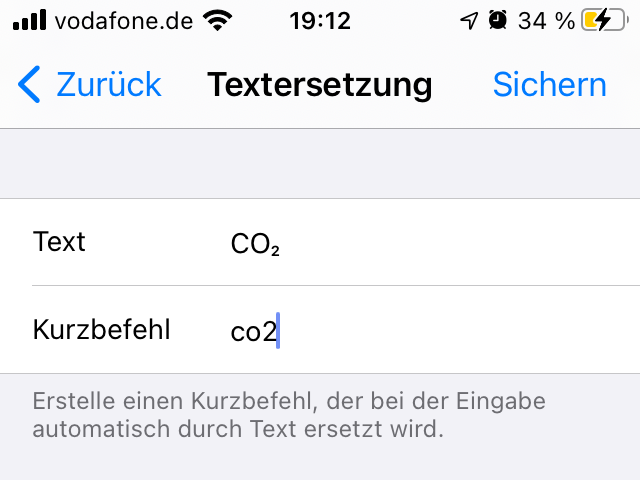
- Settings » General » Keyboard » Text Replacement
- Tap the blue plus in the top right corner.
- Paste CO₂ from the clipboard into the “Phrase” field.
Windows
- Install AutoHotkey
- Start the program “Notepad”
- Paste the following text into the window:
:cb0*:CO2::{bs 1}₂
For the curious, here are the parts:- The : at the beginning means that a hotstring starts: something that gets replaced while typing. The two :: separate the triggering string from the target text.
- c means that upper and lower case don't matter in the triggering string. co2 works just as well as CO2.
- b0 means that AutoHotkey does not delete the triggering string (docs here). Together with the {bs 1}, this makes the replacement faster.
- * means that no keystroke such as space or Enter is needed (docs here).
- Close the Notepad window and save the file in the “Documents” folder. The goal is for the file to be named “autohotkey.ahk”. To do that, type the name "autohotkey.ahk" including the quotation marks into the save dialog. The quotation marks keep Notepad from appending the .txt extension. Best check right away in Explorer what the file is now called. For that, you may need to turn off hiding of file extensions. The file must be in the “Documents” folder because that is where AutoHotkey looks for it.
- Add AutoHotkey to startup. To do that, press Windows + R on the keyboard and type “shell:startup”. A folder window opens. In it, create a shortcut to the file you just created in Documents.
- Double-click the new shortcut and enjoy.
Linux
- Install AutoKey. On Ubuntu 20.04, for example, you can do this via “Ubuntu Software” or (in the terminal) via
sudo apt install autokey-gtk - Start AutoKey
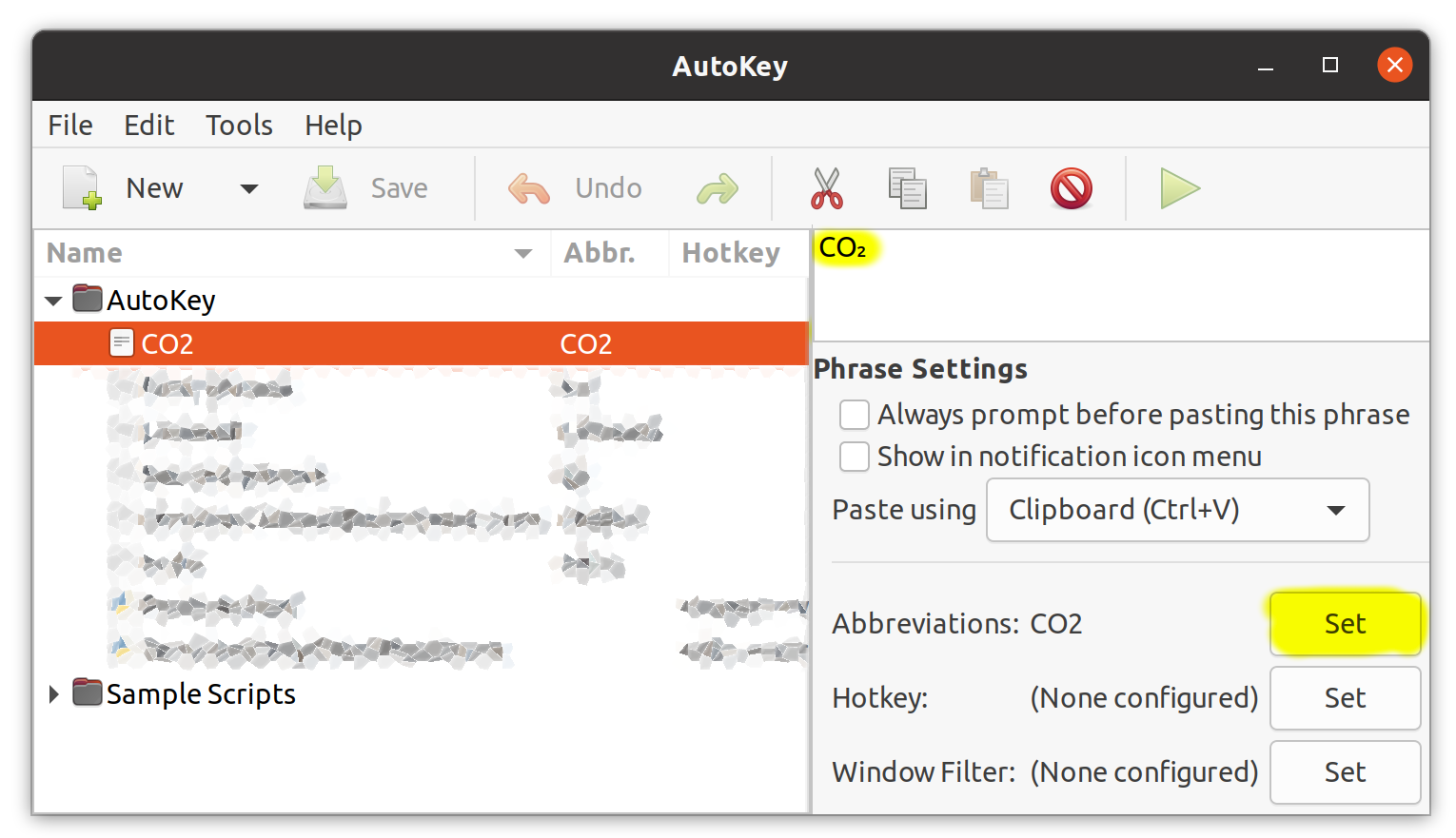
- File » New » Phrase
- Set CO2 as the file name
- Set CO2 as the abbreviation
- Paste CO₂ from the clipboard into the box at the top right
macOS
Hammerspoon, Keyboard Maestro or BetterTouchTools can help here.
Financial support
Description
I fight for climate justice in my free time. Previously with the formerly Letzte Generation, currently with Extinction Rebellion, Scientist Rebellion, and others.
Since I have decided for myself that unfortunately acts of civil disobedience are necessary to enact policies that fight climate change, I regularly have to pay fines from authorities and courts. This is quite normal and part of the process. I handle it myself initially.
Occasionally, some of you ask me how you can support me financially. First of all: wow, what? Phew, I'm just an ordinary person - are you sure you mean me? Okay, here's how you can send me money:
- My email address on PayPal is paypal@blaeul.de.
-
Bank transfer or standing order:
My IBAN is DE42430609671153542201 and my BIC is GENODEM1GLS
- Steady: Gogowitsch